Tag Archives: Get car title fast online

Get Your Car Title Fast Online: A Comprehensive Guide to Speeding Up the Process

Losing your car title, needing it for a sale, or simply wanting to have it readily available can be a stressful experience. The traditional process of obtaining a car title often conjures images of long lines at the DMV, confusing paperwork, and frustrating delays. However, the digital age has revolutionized many aspects of our lives, and obtaining a car title is no exception. Now, in many cases, it’s possible to navigate the process online and get your car title much faster than ever before.

This comprehensive guide will walk you through everything you need to know about obtaining your car title quickly and efficiently online. We’ll cover the various reasons why you might need a car title, the benefits of obtaining it online, the steps involved in the online process, potential challenges you might face, and tips for ensuring a smooth and speedy experience.

Why Do You Need Your Car Title? Understanding Its Importance

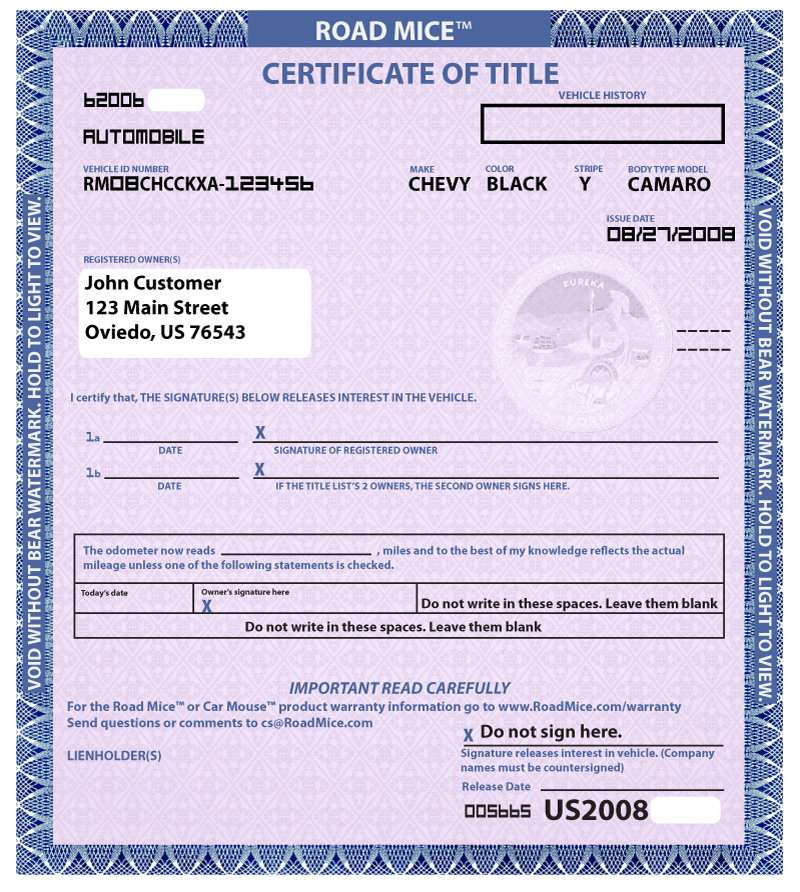
Before diving into the online process, it’s crucial to understand why a car title is so important and why you might need it quickly. The car title, also known as a Certificate of Title, is a legal document that proves ownership of a vehicle. It contains vital information about the car, including:

  • Vehicle Identification Number (VIN): A unique identifier for your car.
  • Make and Model: The manufacturer and specific model of the vehicle.
  • Year of Manufacture: The year the car was produced.
  • Registered Owner(s): The legal owner(s) of the vehicle.
  • Lien Information: Details of any outstanding loans or liens on the car.

Having a car title readily available is essential for several reasons:

  • Selling Your Car: You need the title to legally transfer ownership of the vehicle to the buyer. Without it, the sale is invalid, and the buyer cannot register the car in their name.
  • Buying a Car: As a buyer, you need to receive the title from the seller to prove your ownership. Inspect the title carefully for any discrepancies or red flags before completing the purchase.
  • Refinancing Your Car Loan: If you’re looking to refinance your car loan, the lender will likely require a copy of the title to confirm ownership and existing liens.
  • Moving to a New State: When relocating, you’ll need to register your vehicle in the new state. A car title is a primary document required for this process.
  • Replacing a Lost or Stolen Title: Accidents happen. If your title is lost, stolen, or damaged, you’ll need to apply for a duplicate title to maintain proof of ownership.
  • Estate Planning: Having your car title in order is important for estate planning purposes, ensuring a smooth transfer of assets to your heirs.
  • Obtaining a Loan Using Your Car as Collateral: Some lenders allow you to secure a loan using your car as collateral. You will need the title to do so.

Delaying the process of obtaining your car title can have serious consequences, potentially hindering your ability to sell your car, refinance your loan, or even legally drive it.

The Benefits of Obtaining Your Car Title Online

Compared to the traditional method of visiting the DMV in person, obtaining your car title online offers several significant advantages:

  • Convenience: The biggest advantage is the sheer convenience. You can complete the application process from the comfort of your own home, at any time that suits you. No need to take time off work or wait in long lines.
  • Speed: Online applications are generally processed much faster than those submitted in person. DMVs often prioritize online submissions, leading to quicker turnaround times.
  • Reduced Paperwork: Online systems often streamline the application process, reducing the amount of paperwork required. Many forms are digital and can be filled out online.
  • Accessibility: Online services are accessible to anyone with an internet connection, regardless of their location. This is particularly beneficial for individuals living in rural areas or those with limited mobility.
  • Transparency: Many online systems provide tracking capabilities, allowing you to monitor the progress of your application and receive updates on its status.
  • Cost-Effectiveness: In some cases, online applications may be slightly cheaper than in-person submissions, as they can reduce administrative costs for the DMV.
  • Reduced Risk of Errors: Digital forms often have built-in error checks, helping you avoid common mistakes and ensuring that your application is complete and accurate.
  • Potential for Electronic Titles: Some states are now offering electronic titles (e-titles), which eliminate the need for a physical paper title. E-titles can be accessed securely online, further simplifying the process.

Steps to Obtaining Your Car Title Online

The exact steps involved in obtaining your car title online may vary depending on your state’s specific regulations and the type of title you need. However, the general process typically involves the following:

  1. Determine Your Eligibility: Not all situations are eligible for online processing. Common scenarios that may be eligible include:
    • Duplicate Title: Replacing a lost, stolen, or damaged title.
    • Title Transfer After Sale: Transferring ownership after selling your car (in some states, this requires both the buyer and seller to participate online).
    • Correcting Errors on a Title: Fixing minor errors on an existing title.
    • Releasing a Lien: Removing a lien after paying off a car loan.

    Contact your state’s DMV website or call their customer service line to confirm whether your specific situation is eligible for online processing.

  2. Gather Required Documents: Before you begin the online application, gather all the necessary documents. This typically includes:
    • Proof of Identity: Driver’s license, passport, or other government-issued identification.
    • Vehicle Information: VIN, make, model, year, and license plate number.
    • Current Registration: Your vehicle’s current registration certificate.
    • Odometer Reading: The current mileage reading from your car’s odometer.
    • Lien Release (if applicable): A document from your lender confirming that your car loan has been paid off.
    • Bill of Sale (if applicable): A document outlining the details of the sale if you recently purchased the vehicle.
    • Application Fee: You will need to pay a fee to process your application. Accepted payment methods usually include credit cards, debit cards, and electronic checks.
    • Affidavit or Statement of Facts (if applicable): For lost or stolen titles, you may need to provide a sworn statement explaining the circumstances.
  3. Visit Your State’s DMV Website: The official website of your state’s Department of Motor Vehicles (DMV) or equivalent agency is the primary source for online title applications. Be wary of third-party websites that claim to offer similar services, as they may charge exorbitant fees or be scams. Make sure the URL ends in .gov.
  4. Create an Account or Log In: Most DMV websites require you to create an account or log in to an existing account to access online services. This helps ensure the security of your information and allows you to track the progress of your application.
  5. Locate the Online Title Application: Navigate to the section of the DMV website dedicated to vehicle titles. Look for options such as “Duplicate Title Application,” “Title Transfer,” or “Online Title Services.”
  6. Complete the Application Form: Carefully fill out the online application form, providing all the required information accurately. Double-check each field before submitting to avoid delays due to errors. The system will likely guide you through a step-by-step process.
  7. Upload Required Documents: Most online applications allow you to upload digital copies of your required documents. Ensure that the documents are clear, legible, and properly scanned. Accepted file formats typically include PDF, JPEG, and PNG.
  8. Pay the Application Fee: Pay the required application fee using one of the accepted payment methods. You will typically receive a confirmation email or receipt after your payment has been processed.
  9. Submit Your Application: Once you have completed the application form, uploaded the required documents, and paid the fee, review everything carefully before submitting.
  10. Track Your Application (If Available): Many online systems provide tracking capabilities, allowing you to monitor the progress of your application. You may receive email updates or be able to check the status online.
  11. Receive Your Car Title: The method of receiving your car title will depend on your state’s regulations. Options may include:
    • Mailed Physical Title: The most common option is to receive a physical paper title in the mail.
    • Electronic Title (E-Title): In some states, you may receive an electronic title that can be accessed securely online.
    • Pick-Up at DMV Office: In certain situations, you may be required to pick up your title in person at a local DMV office.

Potential Challenges and How to Overcome Them

While obtaining your car title online is generally a streamlined process, you may encounter some challenges along the way. Here are some common issues and how to overcome them:

  • Ineligibility for Online Processing: As mentioned earlier, not all situations are eligible for online processing. If your specific case requires in-person assistance, you will need to visit your local DMV office. Call ahead to schedule an appointment and inquire about any specific requirements.
  • Technical Difficulties: Website glitches, browser compatibility issues, or problems with uploading documents can sometimes occur. Try using a different browser, clearing your browser’s cache and cookies, or contacting the DMV’s technical support for assistance.
  • Document Errors: Incorrect or incomplete information on your documents can lead to delays or rejection of your application. Double-check all information carefully before submitting and ensure that all documents are legible and properly scanned.
  • Payment Issues: Problems with your payment method or issues with the DMV’s payment system can prevent you from submitting your application. Try using a different credit card or debit card, or contact your bank or the DMV’s payment support for assistance.
  • Delayed Processing Times: Even with online applications, processing times can vary depending on the volume of applications and the workload of the DMV. Be patient and check the status of your application regularly. Contact the DMV if you have not received your title within the expected timeframe.
  • Fraudulent Websites: Be cautious of third-party websites that claim to offer online title services, as they may be scams. Always use the official website of your state’s DMV or equivalent agency. Look for the .gov domain extension.
  • Difficulty Understanding Instructions: DMV websites can sometimes be confusing or difficult to navigate. Take your time to read the instructions carefully and use the DMV’s online help resources or contact their customer service line for assistance.
  • Lien Release Issues: If you have recently paid off a car loan, ensure that your lender has properly released the lien on your title. You may need to contact your lender directly to expedite the process.

Tips for a Speedy and Smooth Online Title Application

Here are some tips for maximizing your chances of a speedy and smooth online title application:

  • Gather All Required Documents Before Starting: Having all the necessary documents readily available will save you time and prevent delays.
  • Double-Check Your Information: Accuracy is key to avoiding errors and preventing delays.
  • Use a Stable Internet Connection: A reliable internet connection is essential for completing the online application and uploading documents.
  • Scan Documents Clearly: Ensure that your scanned documents are clear, legible, and properly oriented.
  • Pay Attention to Deadlines: If there are any deadlines associated with your application, be sure to meet them.
  • Monitor Your Application Status Regularly: Stay informed about the progress of your application by checking the online tracking system or contacting the DMV.
  • Contact the DMV if You Have Questions: Don’t hesitate to contact the DMV’s customer service line or use their online help resources if you have any questions or encounter any problems.
  • Consider an E-Title (If Available): If your state offers electronic titles, consider opting for this option, as it can eliminate the need for a physical paper title and further simplify the process.
  • Be Patient: Processing times can vary, so be patient and allow sufficient time for your application to be processed.
  • Keep Copies of Everything: Make copies of all your documents and application materials for your records.

Alternative Options if Online Processing Isn’t Possible

If you’re unable to obtain your car title online, don’t despair. There are still alternative options available:

  • In-Person Visit to the DMV: The traditional method of visiting the DMV in person is always an option. Check the DMV’s website for hours of operation, location information, and any appointment requirements.
  • Mail-In Application: Some states allow you to submit your title application by mail. Download the necessary forms from the DMV website, complete them carefully, and mail them along with the required documents and fee to the designated address.
  • Authorized Third-Party Service Providers: In some states, authorized third-party service providers, such as auto title agencies, can assist you with obtaining your car title. These providers may charge additional fees, but they can offer a more personalized and convenient service.

Future Trends in Online Car Title Management

The future of car title management is likely to be increasingly digital. We can expect to see the following trends:

  • Wider Adoption of E-Titles: More states will likely adopt electronic titles, eliminating the need for physical paper titles.
  • Integration with Blockchain Technology: Blockchain technology can provide a secure and transparent way to manage car titles, reducing the risk of fraud and simplifying the transfer of ownership.
  • Mobile Apps for Title Management: Mobile apps will likely become more common, allowing you to access and manage your car title from your smartphone or tablet.
  • AI-Powered Assistance: Artificial intelligence (AI) may be used to automate various aspects of the title application process, such as document verification and error detection.
  • Seamless Integration with Online Car Marketplaces: The process of transferring car titles will likely become more seamless, integrated with online car marketplaces, making it easier to buy and sell vehicles online.

Conclusion: Embracing the Digital Age for Faster Car Title Acquisition

Obtaining your car title online offers a convenient, efficient, and often faster alternative to the traditional DMV experience. By understanding the process, gathering the necessary documents, and following the tips outlined in this guide, you can significantly increase your chances of a speedy and smooth online title application. Embrace the digital age and take advantage of the online resources available to simplify the process of obtaining your car title. Remember to always use official DMV websites and be wary of third-party services that seem too good to be true. With a little preparation and effort, you can get your car title quickly and efficiently, allowing you to buy, sell, or refinance your vehicle with confidence.

How to Request a Car Title Online – Step-by-Step Guide

How to Request a Car Title Online – Step-by-Step Guide

How to request a car title online. A car title is an essential document proving ownership of a vehicle. Many states allow you to request a new, duplicate, or transferred title online through their official DMV websites. Follow this step-by-step guide to ensure a smooth process.

What is a Car Title Request?

A car title request refers to the process of applying for or obtaining the official document that proves ownership of a vehicle. The car title, also known as a certificate of title, is a legal document issued by your state’s Department of Motor Vehicles (DMV) or equivalent agency. It contains important details about the vehicle and its owner, including:

  • Vehicle Information: Make, model, year, and Vehicle Identification Number (VIN).
  • Owner Information: Name(s) and address of the registered owner(s).
  • Lienholder Information: If there is an outstanding loan on the vehicle, the lienholder (e.g., bank or financing company) will be listed.

The car title serves as proof that you legally own the vehicle. Without it, you cannot sell, transfer, or register the vehicle in most cases.

Why Would You Need to Request a Car Title?

There are several scenarios where you might need to request a car title:

  1. New Vehicle Purchase :
    When you buy a new or used car, you’ll need to apply for a title in your name to officially take ownership.
  2. Lost or Stolen Title :
    If your original title has been misplaced, damaged, or stolen, you’ll need to request a duplicate title.
  3. Transfer of Ownership :
    When selling or gifting a vehicle, the title must be transferred to the new owner. Both parties may need to complete forms or request updated titles.
  4. Name or Address Change :
    If your name or address changes, you’ll need to update the title to reflect this information.
  5. Out-of-State Move :
    If you move to a new state, you may need to surrender your old title and request a new one from your new state’s DMV.
  6. Removing a Lien :
    If you’ve paid off a car loan, you may need to request a “clear title” that shows no outstanding liens.

Types of Car Title Requests

Depending on your situation, there are different types of car title requests you might make:

  1. New Title Application :
    For newly purchased vehicles, whether from a dealership or a private seller.
  2. Duplicate Title :
    To replace a lost, stolen, or damaged title.
  3. Title Transfer :
    When transferring ownership of a vehicle from one person to another.
  4. Updated Title :
    To correct errors or update information, such as a name change or lien release.

How Do You Know If You Need a Car Title Request?

Here are some signs that you may need to request a car title:

  • You just purchased a vehicle but haven’t received the title.
  • You’re planning to sell your car, but can’t find the title.
  • Your title has outdated or incorrect information.
  • You recently paid off a car loan and need the lien removed from the title.
  • You moved to a new state and need to re-title your vehicle.


Key Benefits of Requesting a Car Title Online

  1. Convenience :
    You can complete the process from home without visiting a DMV office.
  2. Speed :
    Online requests are often processed faster than in-person or mail-in applications.
  3. Transparency :
    Many states provide real-time updates so you can track the status of your application.
  4. Cost Savings :
    While fees vary, online requests typically cost the same or less than other methods.

Common Misconceptions About Car Titles

  1. “I Don’t Need a Title If I Have Registration.”
    The registration allows you to drive the vehicle legally, but the title is the actual proof of ownership. Both are necessary for different purposes.
  2. “I Can Drive Without a Title.”
    While you can drive with a valid registration, you cannot sell or transfer the vehicle without a title.
  3. “Titles Are Only for New Cars.”
    Every vehicle, whether new or used, requires a title to establish ownership.

Legal Importance of a Car Title

The car title is a crucial legal document because:

  • It protects both buyers and sellers during vehicle transactions.
  • It prevents fraud by verifying ownership.
  • It ensures proper registration and taxation of vehicles.

Driving or selling a vehicle without a valid title can lead to fines, legal issues, or even criminal charges in some cases.


Requesting a car title is an essential step in owning and maintaining a vehicle. Whether you’re applying for a new title, replacing a lost one, or transferring ownership, understanding the process and requirements can save you time and hassle. Always use official government websites to avoid scams, and keep your title in a safe place once you receive it.

If you’re unsure about the specific requirements in your state, visit your local DMV’s website or contact them directly for guidance.

Why You Might Need a New Car Title

  • Lost or Stolen Title – You’ll need a duplicate if your original title is missing.
  • Transferring Ownership – Selling or gifting your car requires a title transfer.
  • Correcting Errors – Fixing mistakes on a car title may require a replacement.

How to request a car title online: Step-by-Step Guide

Step 1: Determine Your State’s DMV Process

Each state has unique rules for requesting a car title. Visit your state’s official DMV website to confirm if they offer an online application process.
For example:

  • California – Use the California DMV’s online portal.
  • Texas – Visit the Texas Department of Motor Vehicles website.
    Important: Always ensure you are on an official government website to avoid scams.

Step 2: Gather Required Documents

Before starting your online application, have the following documents ready:
Proof of Ownership – A bill of sale, previous title, or lien release (if applicable).
Vehicle Identification Number (VIN) – Located on your car’s dashboard or registration documents.
Identification – A valid driver’s license or state ID.
Payment Information – Most states charge a fee ($10–$50), payable by credit/debit card or electronic check.

Step 3: Log In to Your DMV Account

  • Many states require you to create an account on their DMV website.
  • If you already have an account, log in with your credentials.

Step 4: Complete the Application Form

  • Navigate to the vehicle titles or title services section.
  • Select the appropriate type of title request:
    • New Title – For recently purchased vehicles.
    • Duplicate Title – If the original is lost, stolen, or damaged.
    • Transfer of Title – If ownership is being transferred.
  • Enter accurate details such as:
    • Vehicle make, model, year, and VIN.
    • Your details (name, address, etc.).
    • Additional documentation (if required by your state).

Step 5: Pay the Fee and Submit the Application

  • Fees vary by state but typically range from $10 to $50.
  • Payment is usually made through a credit/debit card or electronic check.
  • Double-check all information before submitting the request.
  • After submission, you’ll receive a confirmation email with a tracking number to monitor the status.

Step 6: Wait for Processing

  • Processing times depend on your state but generally take 7–14 business days.
  • Some states offer expedited processing for an additional fee.

Step 7: Receive Your Title

  • Your new or duplicate car title will be mailed to the address on file.
  • Ensure your mailing address is up-to-date with the DMV to avoid delays.

Tips for a Smooth Process

Check Eligibility – Some states require in-person visits for specific cases (e.g., liens or legal disputes).
Avoid Third-Party Websites – Use only official DMV websites to prevent scams or extra fees.
Keep Records – Save copies of all submitted forms and payment receipts for future reference.

Additional Tips for Requesting a Car Title Online

1. Verify Your State’s Online Title Services

Not all states offer online title requests. Some may require an in-person visit for certain cases, such as vehicles with outstanding liens or missing ownership documents. Check with your state’s official DMV website to confirm available services.

2. Understanding Title Types

Before applying, ensure you are selecting the correct title type:

  • Original Title – For newly purchased vehicles.
  • Duplicate Title – If the original is lost, stolen, or damaged.
  • Rebuilt Title – For vehicles that were previously salvaged but repaired.
  • Lien-Free Title – If the lien on your vehicle has been fully paid off.

3. Common Reasons for Delays

  • Incorrect Information – Ensure the VIN, personal details, and ownership documents are accurate.
  • Unpaid Fees – Some states may require additional processing fees that must be paid before issuing the title.
  • Outstanding Loans or Liens – If there is an active loan or lien on the vehicle, you may need a lien release from the lender before obtaining a new title.

State-Specific Car Title Application Variations

California

  • Can apply online through the California DMV portal.
  • Standard processing time: 15–30 business days (expedited service available).
  • Fees: $23 for a duplicate title.

Texas

  • Must apply through the Texas Department of Motor Vehicles (TxDMV).
  • Processing time: 7–10 business days.
  • Fees: $33 for a title transfer, $2–$15 for a duplicate title.

Florida

  • Allows online applications via the Florida Highway Safety and Motor Vehicles (FLHSMV) website.
  • Processing time: 7–14 business days.
  • Duplicate title fee: $75.25.

Note: Always check your state’s DMV website, as processing times and fees may change.


Common Mistakes to Avoid

🚫 Falling for Third-Party Scams – Always use your official state DMV website to avoid fraudulent services.
🚫 Providing Incomplete Documents – Ensure you have all necessary proof of ownership, VIN, and identification before applying.
🚫 Incorrect Mailing Address – If your DMV has an outdated address on file, your title may get lost.

Legal Considerations When Requesting a Car Title

When applying for a car title online, legal regulations vary by state, and there are specific rules to follow. Here are a few important legal aspects to keep in mind:

1. Fraudulent Information Can Lead to Penalties

🚨 Providing false information (e.g., fake ownership proof or incorrect VIN) can lead to legal consequences, including:

  • Rejection of the application
  • Fines or penalties
  • Criminal charges (in cases of intentional fraud)

✅ Always ensure all details you submit are accurate and verifiable.

2. Handling a Title With an Active Lien

  • If your vehicle has an outstanding loan, the lender holds the title until the loan is fully paid.
  • You cannot request a new title unless the lienholder releases the lien.
  • To remove a lien, request a lien release document from your lender and submit it along with your title request.

3. Special Rules for Classic and Custom Vehicles

  • If you own a classic car or custom-built vehicle, your state might have different title requirements.
  • Some states require additional inspections or paperwork before issuing a title.

Tip: Check your state’s DMV for specific rules regarding classic, antique, or modified vehicles.


Emergency Situations – What to Do?

1. I Lost My Car Title and Need One Urgently

If you need a replacement title quickly, consider these options:
🚀 Expedited processing – Some DMVs offer rush services (for an additional fee).
🏢 In-person pickup – If allowed, visit the DMV office for same-day processing.

✅ Check if your state offers overnight or expedited title services.

2. I Bought a Car Without a Title – What Now?

🚨 If you purchased a vehicle without a title, follow these steps:

  1. Contact the seller – Ask them to provide the title.
  2. Check the vehicle history – Run a VIN check to ensure it’s not stolen.
  3. Apply for a bonded title – Some states allow bonded titles if proof of ownership is unavailable.

Warning: Never buy a vehicle without a title unless you fully understand your state’s legal process for obtaining one.


Preventing Title Fraud – How to Stay Safe

1. Watch Out for Fake Websites

🚨 Scammers create fake DMV websites to trick people into paying fraudulent fees.
✅ Always ensure you are on the official DMV website (URLs typically end in .gov).

2. Verify the Title Before Buying a Used Car

Before purchasing a used vehicle, check:

  • Title authenticity – Ensure the title is not altered or forged.
  • VIN check – Use tools like Carfax or AutoCheck to verify history.
  • Odometer fraud – Make sure mileage is consistent with records.

3. Avoid Paying Extra Fees to Third Parties

🚨 Some companies claim to process car titles faster for an extra fee.
✅ These services are often unnecessary—always go through the DMV directly.


What to Do After Receiving Your Car Title?

Once your title arrives, what’s next?

1. Store It in a Safe Place

Your car title is an important legal document—keep it safe!
📂 Store it in a fireproof lockbox or safe deposit box.
❌ Avoid keeping it in your car, as it could be stolen.

2. Check for Errors

📝 Verify all details on your title, including:

  • Correct owner’s name and address
  • Accurate VIN
  • Proper title status (clear, salvage, rebuilt, etc.)

🚨 If you find mistakes, contact the DMV immediately for corrections.

3. Update Your Title If You Move

If you relocate to another state, you may need to:

  • Transfer your title to the new state’s DMV.
  • Update your vehicle registration.

Final Checklist – Requesting a Car Title Online

Visit the official DMV website to start your application.
Gather required documents (ownership proof, VIN, ID, payment info).
Fill out the online application form accurately.
Pay the applicable fees and submit the request.
Track your application status and wait for processing.
Check for errors when your title arrives and store it safely.

By following this guide, you can ensure a smooth, hassle-free process when requesting a car title online. 🚗💨


Need More Help?

Would you like a state-specific guide, assistance with salvage or branded titles, or help with title transfers? Let me know how I can tailor this information to your needs! 🚘


(FAQs)

Q: Can I track my car title request online?

A: Yes, most states provide a tracking number after you submit your application. Use it to monitor your title’s status on the DMV website.

Q: What if I move before my title arrives?

A: Update your mailing address with the DMV before applying to ensure your title is sent to the correct location.

Q: Can I transfer a title online if I buy a car from another person?

A: Some states allow electronic title transfers, while others require the buyer and seller to visit a local DMV office. Check with your state’s DMV for details.

Q: Is an electronic car title the same as a paper title?

A: Some states issue electronic titles (e-titles) instead of physical paper titles. These can be accessed digitally but may require a paper copy for selling or transferring ownership.

Q: How long does it take to receive a car title?

A: It typically takes 7–14 business days, though some states offer expedited services.

Q: Can I request a car title if there’s a lien on my vehicle?

A: You may need to settle the lien first or provide a lien release document. Check with your state’s DMV.

Q: What if I need a title for a vehicle purchased out of state?

A: You’ll likely need to apply for an out-of-state title transfer. Contact your DMV for state-specific instructions.


Final Thoughts

Applying for a car title online is a quick and convenient process, but it’s crucial to:
✔ Use only the official DMV website for your state.
✔ Double-check all submitted information to avoid delays.
✔ Keep copies of receipts and confirmation emails for reference.

By following these steps, you can easily get your car title processed without any issues.

Would you like a state-specific version of this guide or more details on special cases like salvage titles or liens? Let me know how I can refine this for you! 🚗💨